


Most people never think about device drivers.
Until something stops working.
Your sound disappears.
Wi-Fi won’t connect.
The printer just… refuses.
That’s usually when drivers enter the conversation.
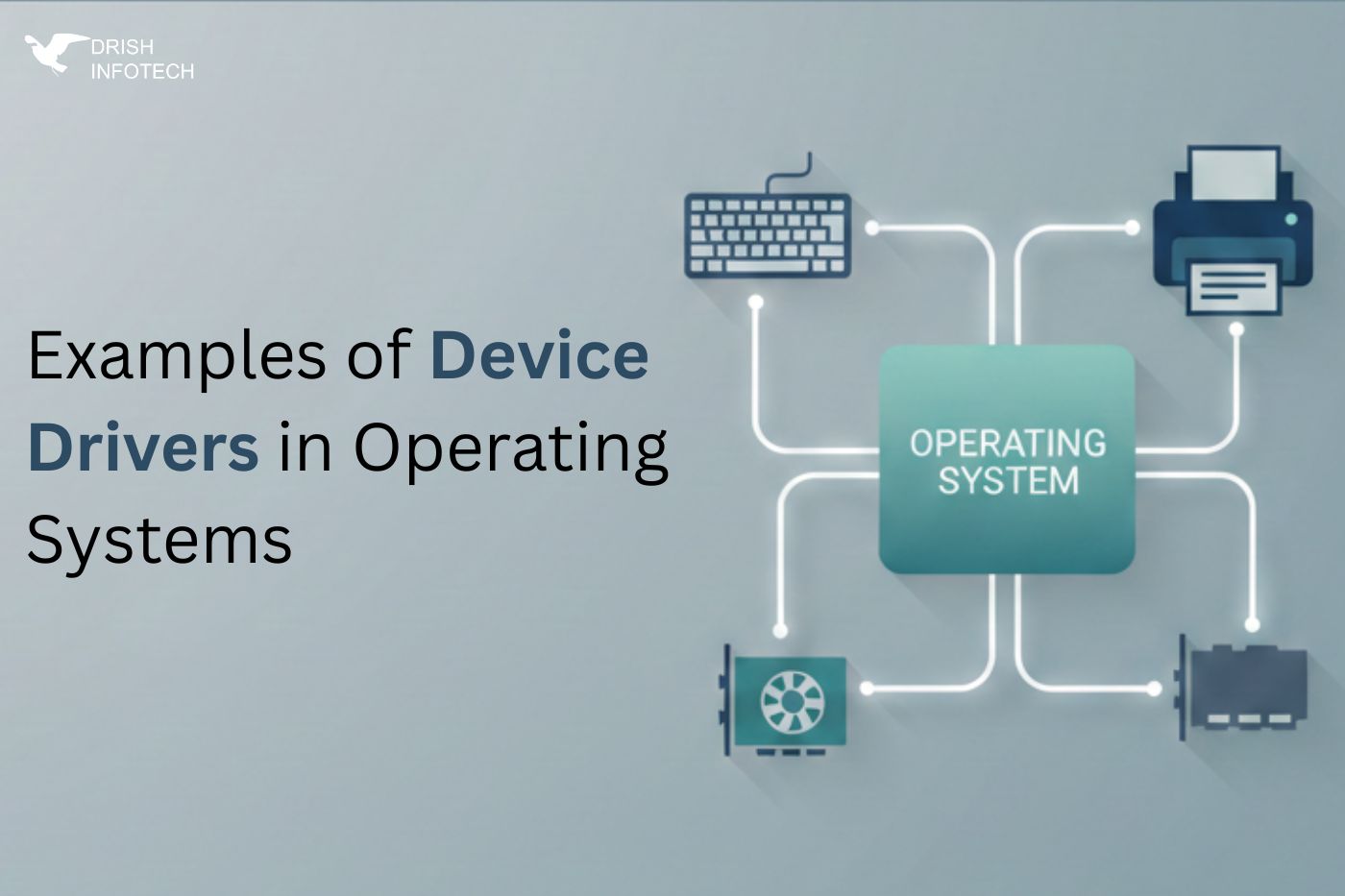
A device driver is not some advanced concept meant only for engineers. It’s simply the piece that lets your operating system talk to hardware. Without it, the OS has no idea what to do with the device — even if it’s physically connected.
Let’s look at real examples of device drivers, broken down by operating system and real usage, not theory.
Common Device Driver Examples You Use Daily
This is probably the most obvious one.
If you’ve ever updated an NVIDIA or AMD driver, you’ve interacted with a graphics driver. It controls:
- Screen resolution
- Refresh rate
- GPU performance
- Video rendering
Without it, displays often fall back to low resolution and poor performance. Gamers notice it instantly. Designers do too.
Audio Drivers
Sound drivers don’t get much attention — until there’s no sound.
They handle:
- Speakers
- Headphones
- Microphones
- Audio ports
In Windows, Realtek drivers are extremely common. When they fail, users usually see errors like “No audio output device installed.”
Nothing feels more broken than a silent system.
Network Drivers (Wi-Fi & Ethernet)
This one is critical.
Your laptop can have perfect hardware, but without a network driver:
- No internet
- No LAN
- No cloud access
This is why fresh OS installs often require manual driver installation before anything else works.
Printer Drivers
Printers are simple in theory and painful in reality.
Printer drivers translate digital files into instructions the printer understands. A mismatch often causes:
- Garbled printouts
- Wrong page sizes
- Print jobs stuck in queue
Office environments depend heavily on stable printer drivers.
Device Driver Examples in Linux Systems
Linux handles drivers differently, but they’re still everywhere.
USB Drivers
USB drivers allow keyboards, mice, flash drives, webcams, and scanners to work instantly.
Most modern Linux distributions include these drivers inside the kernel itself. That’s why plug-and-play works surprisingly well.
File System Drivers
Linux can read multiple file systems because of drivers like:
- ext4
- FAT
- NTFS
Without them, disks may show up but remain inaccessible.
Device Driver Examples in macOS
Apple controls both hardware and software, but drivers still exist.
Input Drivers
Trackpads, keyboards, gestures — all powered by dedicated drivers. This is why macOS gestures feel smooth compared to generic systems.
External Display & Thunderbolt Drivers
These manage:
- High-resolution displays
- Docking stations
- Data + video transfer
When these drivers act up, users see flickering screens or random disconnections.
Real-World Use Cases (Where Drivers Actually Matter)
Outside regular laptops, drivers become even more important:
- Medical devices → scanners, sensors, imaging systems
- Manufacturing machines → CNC, robotics, automation
- Embedded systems → hardware-specific drivers
- IoT devices → low-level communication
- Enterprise systems → performance-critical environments
In many of these cases, ready-made drivers don’t exist.
That’s where custom development comes in.
When Custom Device Drivers Are Needed
You’ll usually need custom drivers when:
- Hardware is proprietary
- Performance is critical
- OS compatibility is required
- Existing drivers are unstable
- Embedded or industrial systems are involved
This isn’t DIY territory. One bad driver can crash an entire system.
FAQs
Can an operating system work without drivers?
No. Hardware becomes useless without them.
Are drivers OS-specific?
Yes. A Windows driver won’t run on Linux or macOS.
Do drivers affect performance?
Absolutely. Poor drivers cause lag, crashes, and instability.
Final Thought
Drivers don’t get attention when they work.
They only show up when things break.
But behind every functioning system — from laptops to industrial machines — there’s a driver doing quiet, critical work.
If you’re building hardware, embedded systems, or need reliable custom device driver development, Drish Infotech has the expertise to handle both hardware-level and software-level drivers across platforms.